
Support
Support tickets that already know the client’s history
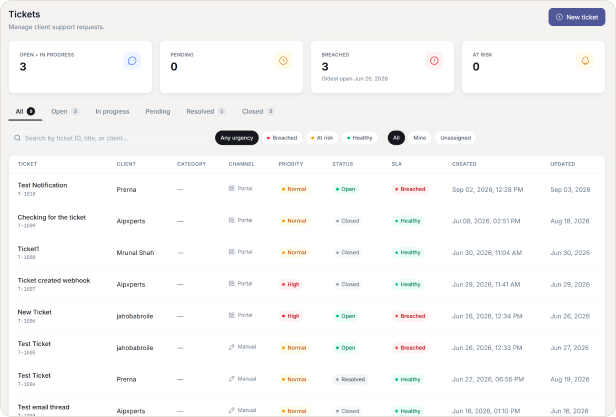
Every ticket sits on the same record as their orders and invoices, so your team never starts a reply from zero. Tickets can come from the portal, an email, or your own team, each carrying a response clock so nothing quietly slips past its deadline.
Context Arrives With the Ticket
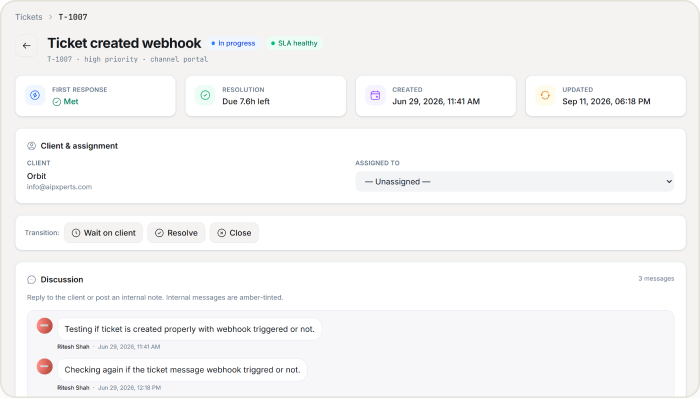
A support question rarely arrives with context attached. HubSleek fixes that by keeping every ticket on the same client record as their orders, invoices, and past conversations, so whoever picks it up already knows who they are talking to and what has happened so far.
CORE CAPABILITIES
Core Capabilities
Give clients a place to ask questions, with response clocks by priority and every ticket tied to their order history.
Three ways for a ticket to start
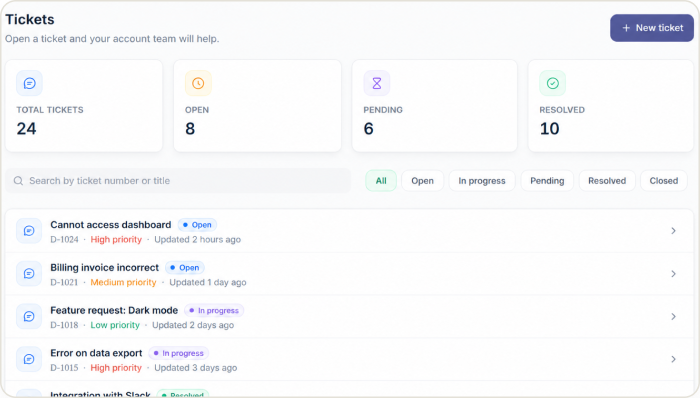
However a client reaches out, it lands in the same queue.
✓ An operator can open a ticket directly, or a client can raise one from inside their portal.
✓ A customer email is matched to the right agency and turned into a ticket automatically, without anyone forwarding it manually.
✓ A message that cannot be matched or looks like spam is dropped silently and logged, rather than bounced back out.
Response clocks that keep your team honest
Every ticket carries two timers, set by priority.
✓ High priority tickets target a first reply within 1 hour and resolution within 8, with normal and low priority tickets on longer, adjustable clocks.
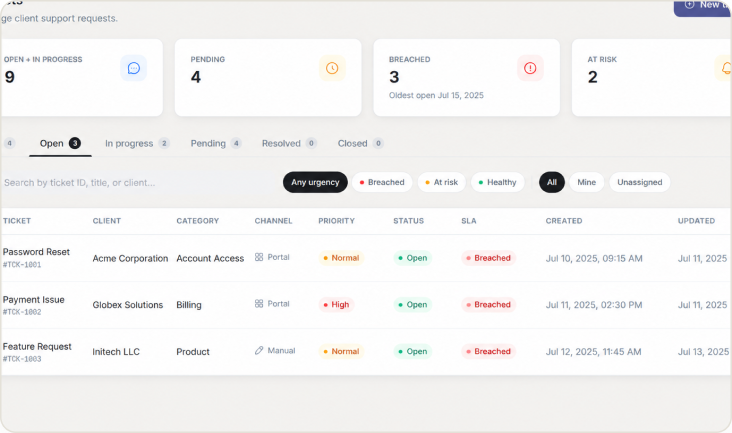
✓ Tickets turn green, amber, or red as their deadline approaches and passes, so a team can filter straight to what is about to breach.
✓ The first staff reply stops the reply clock, and marking a ticket resolved stops the resolution clock.
Reply the way the conversation needs
Not every reply is meant for the client.
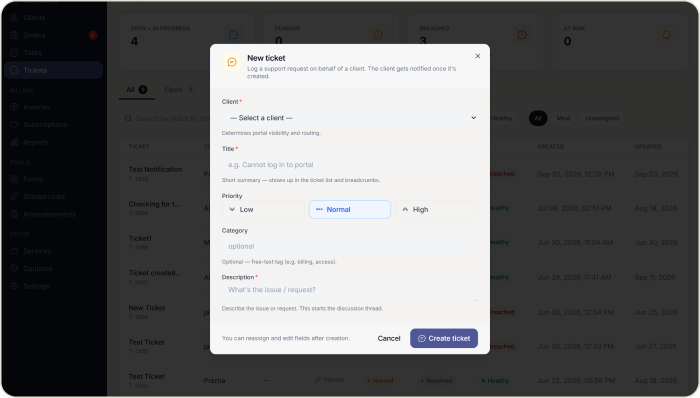
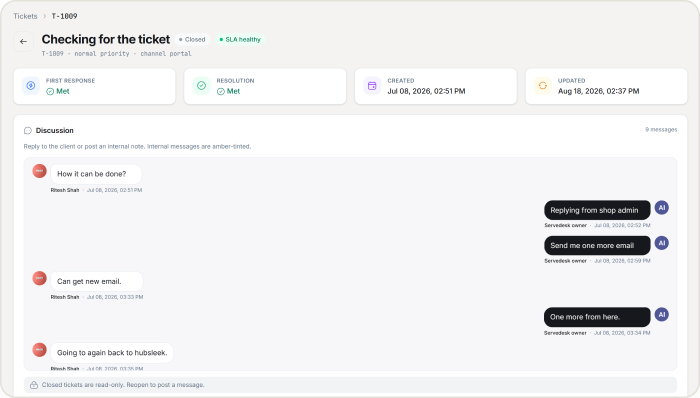
✓ Keep a reply internal to your team, or send it as visible to the client. A client can only ever post the visible kind.
✓ Build a library of saved replies for the questions your team answers every week, and drop one in with a click.
✓ Share a single ticket as a read only link, so someone can see it without a portal login and without seeing anything else.
Reopening has a rule, on purpose
Not everyone should be able to undo a closed conversation.
✓A resolved ticket can be reopened by anyone on the team, which restarts the resolution clock.
✓ A closed ticket can only be reopened by a Manager or above, so a finished conversation does not get casually reopened.
WHY AGENCIES CHOOSE US
Why agencies choose HubSleek for support
“
Context arrives with the ticket
Every conversation sits on the same record as the client’s orders and invoices.
“
Deadlines are visible, not assumed
Colour coded urgency means nothing breaches quietly.
“
Spam gets handled quietly too
Unmatched or spam email is logged and dropped, never bounced back to make more noise.
HOW IT WORKS
From first ticket to resolved conversation
01. A ticket opens
A ticket opens from an operator, a client in the portal, or an inbound email that matches automatically.
02. Clocks start immediately
Response clocks start immediately, based on the priority you or the client set.
03. Your team replies
Your team replies internally or to the client, using saved replies for anything you answer often.
04. Resolve and close
Mark it resolved to stop the clock, and closed once it is truly finished. A closed ticket needs a Manager or above to reopen.
Frequently asked questions
Give every question a place to land, and a clock on it
Turn on Support and see your first ticket arrive with the client’s history already attached.