
CRM
The client book that keeps itself honest
Every order, invoice, ticket, and subscription updates the same client record automatically. No spreadsheets, no separate contact list to maintain.
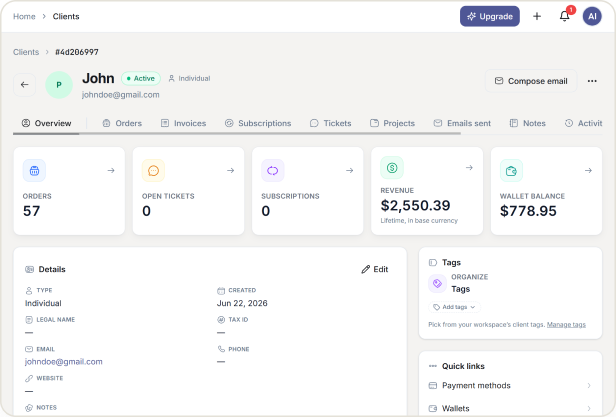
One Record Per Client Company
Client information scattered across a spreadsheet, an inbox, and a payment dashboard turns into three different versions of the truth. HubSleek keeps one record per client company: their details, every order they have placed, every invoice, every ticket, and every conversation, all updating automatically as work happens elsewhere in the platform.
CORE CAPABILITIES
Core Capabilities
Everything your agency needs to manage client relationships in one place, without syncing or manual entry.
One record, not three tools
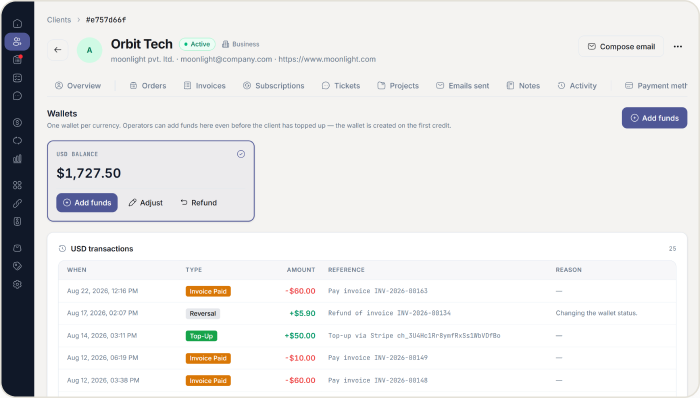
A client’s Overview, Activity, and Configuration tabs hold everything about them.
✓ Orders, invoices, subscriptions, tickets, projects, and sent emails all sit on the same client profile, updating the moment something happens elsewhere.
✓ Payment methods and wallet balances live in their own Configuration tab, separate from day to day activity.
✓ Add notes to a client’s timeline so context never lives only in one person’s memory.
Built for companies, not just contacts
Most clients are teams, and HubSleek treats them that way.
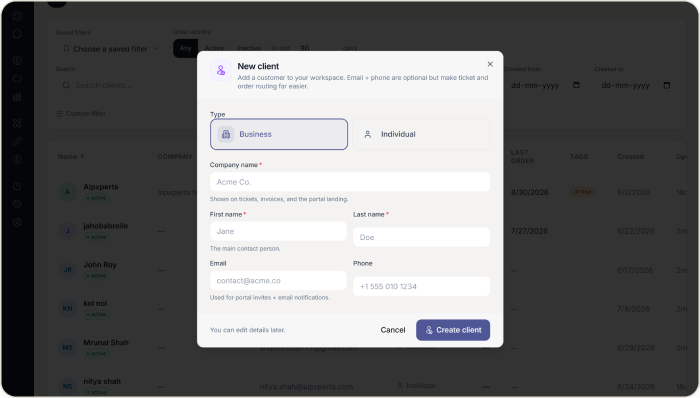
✓ Add a client as a Business or an Individual, with up to 20 tags to organize however your agency actually works.
✓ A client’s own Client Admin can invite their colleagues directly, each getting a Client Admin or Client Viewer role, up to five people by default.
✓ Removing the last Client Admin on an account is blocked by default, so a client is never accidentally locked out of managing their own team.
Find the clients that matter
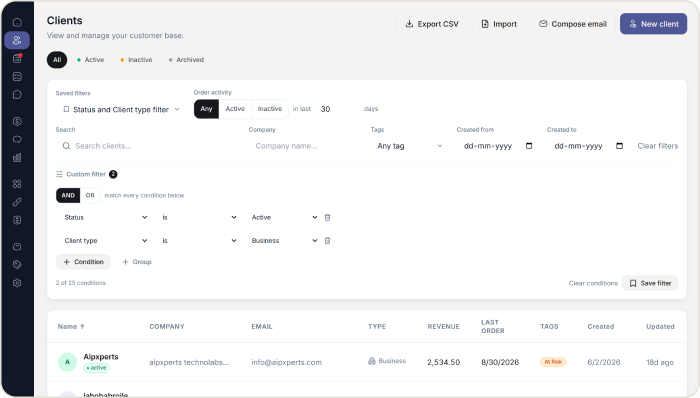
Filters that actually answer the question you’re asking.
✓ Combine filters with AND and OR conditions, save the view, and share it with a colleague as a link.
✓ Order Activity filtering separates clients who have ordered recently from those who have not, and counts clients who have never ordered as inactive.
✓ Export the full list to CSV whenever you need it, with tag names included in readable form.
See exactly what your client sees
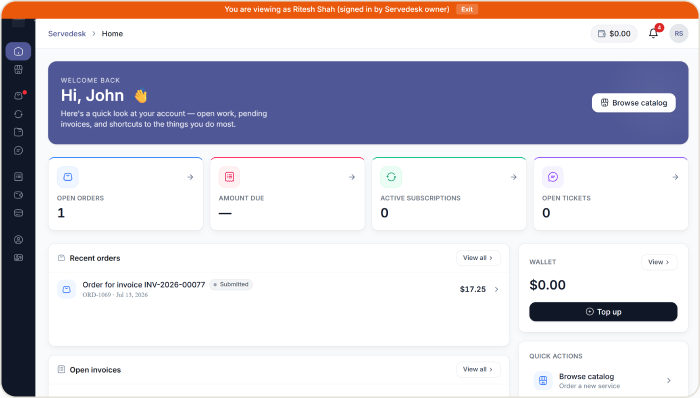
Log in as a client to check their experience directly.
✓View a client’s account exactly as they see it, on plans that include the feature, with every session logged.
✓ Every export is checked for spreadsheet formula injection, so a client name can never turn a CSV download into a security risk.
WHY AGENCIES CHOOSE US
Why agencies choose HubSleek’s CRM
“
One client list across every module
Orders, billing, and support already agree on who this client is, so nothing needs syncing.
“
Team management stays with the client
A Client Admin manages their own colleagues, so requests to add a teammate never land in your inbox.
“
Security built into exports
Every CSV download is checked for spreadsheet formula injection before it leaves the platform.
HOW IT WORKS
From first record to full client history
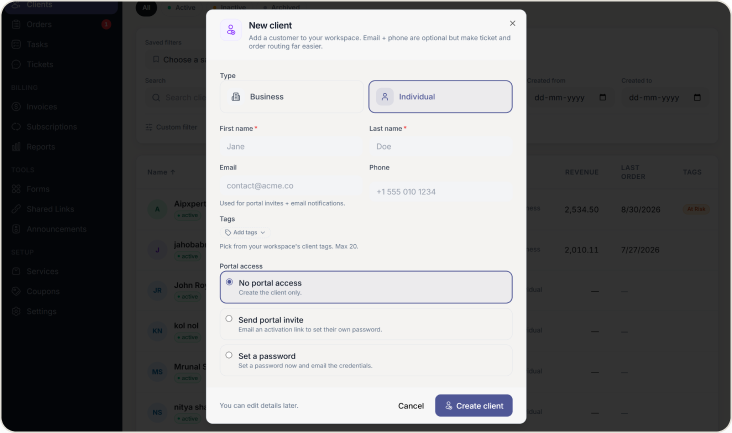
01. Add a client
Add a client as a Business or Individual, with contact details and tags, in under a minute.
02. Set portal access
Decide on portal access: no access, a portal invite, or a password you set and share directly.
03. Records update automatically
Every order, invoice, ticket, and subscription that follows attaches itself to that client’s record automatically.
04. Search, filter, and export
Search, filter, and export from the same client list as your business grows, without re-entering anything.
Frequently asked questions
Give your client list a record it can actually trust
Add your first client and watch their orders, invoices, and tickets attach themselves automatically.