
Client Portal
Give every client their own branded portal
Give clients secure self-service access to orders, invoices, support tickets, and project updates – all in one login, presented under your brand.
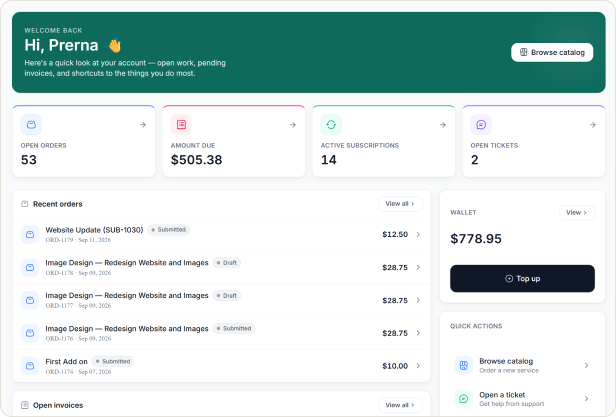
One secure login for every client
Hubsleek gives each client a dedicated self-service space where they can review orders, pay invoices, share files, submit support requests, and follow project updates without emailing your team. Every portal is branded with your identity and shows only the information each client should see.
HOW IT WORKS
A clearer experience for every client
Clients log in once, open their dashboard, and immediately see the orders, invoices, messages, and updates that matter to them. Your team keeps control, while clients get answers faster.
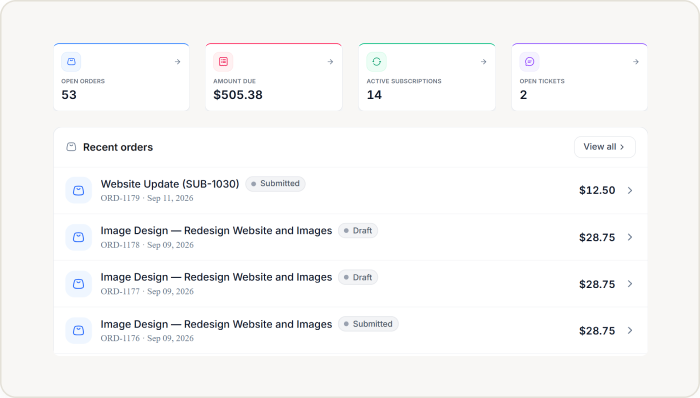
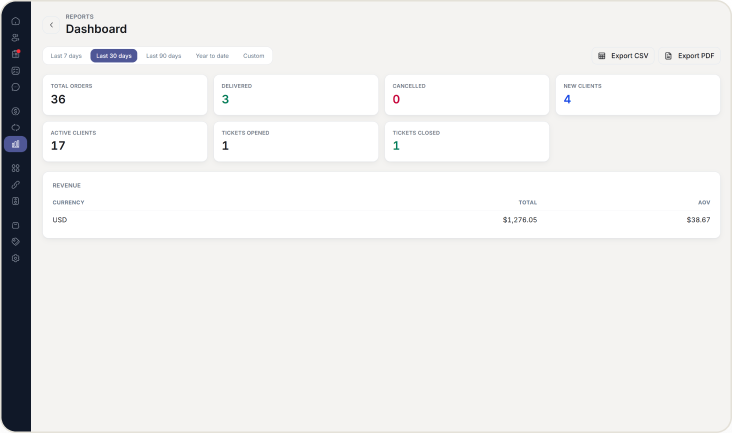
Clients get a dashboard they can use on their own
One login gives clients instant access to the information they ask for most.
✓ Clients sign in and immediately see their active orders, upcoming deliveries, and current project status.
✓ Invoices, payment history, and billing documents are available whenever a client needs them.
✓ Clients can review messages, open support tickets, and check the latest project updates from one place.
Core capabilities built into every portal
The portal covers the client tasks that usually create the most back-and-forth.
✓ Real-time order tracking keeps clients informed from confirmation through completion.
✓ Invoice and payment history gives clients a clear record of what has been billed, paid, and downloaded.
✓ Direct messaging, file sharing, document access, and support ticket submission keep work moving without email chains.
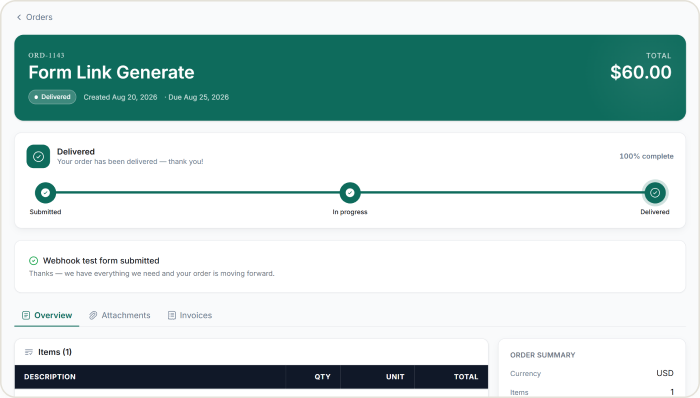
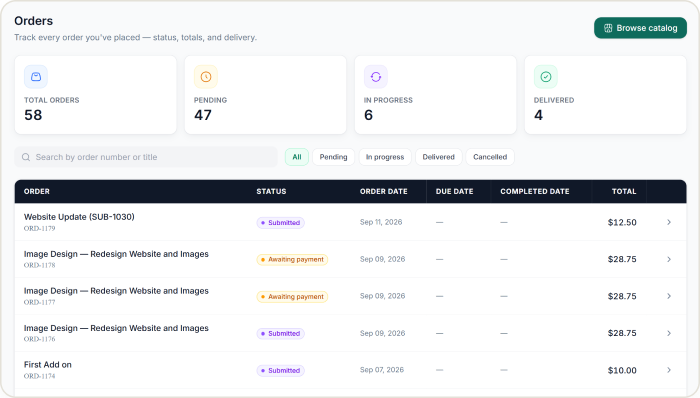
Personalized by client, branded by you
Every portal feels private, relevant, and unmistakably yours.
✓ Each client sees only their own orders, invoices, conversations, and files.
✓ The portal can carry your logo, colors, and tone so the experience feels like an extension of your brand.
✓ Clients always land in a clean, focused workspace instead of a generic support inbox or scattered thread.
Getting into the portal takes one step No separate app to install
Decide exactly what each client can see and do.
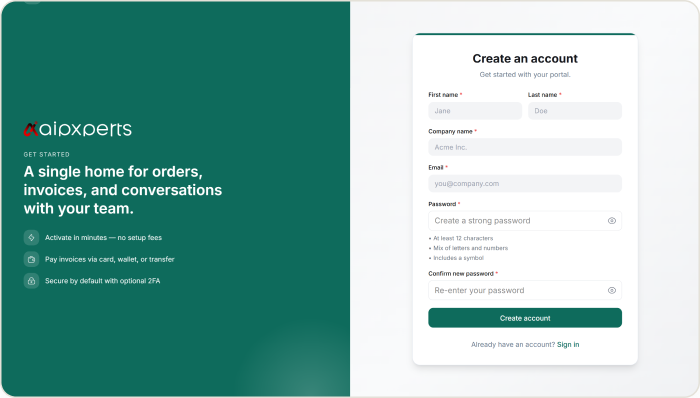
✓Clients are invited directly by the agency, or by a colleague who is already a Client Admin, arriving as an email with a link to set a password.
✓ If self-signup is turned on, a new client creates their own account with a name, company, and email, then verifies it before logging in.
✓An agency can also set a password directly and pass it on, for a client who needs access right away.
WHY BUSINESSES CHOOSE HUBSLEEK
Why businesses choose Hubsleek’s Client Portal
“
Clients get answers without chasing your team
A self-serve portal reduces repetitive questions and gives every client a professional place to check progress on their own.
“
Every client sees only what belongs to them
Private access, clean permissions, and a branded experience make the portal feel secure, polished, and built for your business.
“
Support work drops when clients can self-serve
Businesses using client portals typically see far fewer status, billing, and document requests land in your inbox.
PROVEN IMPACT
Portal adoption reduces support tickets by 60%
01. Invite clients into their portal
Give each client a secure login and a clean dashboard built around their work with your business.
02. Show the right information automatically
Orders, invoices, files, tickets, and updates appear in one place, organized the way each client needs them.
03. Let clients self-serve 24/7
Clients can review status, download invoices, share files, and submit support requests without waiting for your team.
04. Cut repetitive support requests
Teams that move clients into a self-service portal typically reduce status, billing, and document requests by around 60%.
Frequently asked questions
Give clients the experience they deserve
Launch a branded client portal that helps clients self-serve, stay informed, and feel confident in every interaction with your business.