
Reports & Analytics
Know exactly what is driving your revenue
Nine reports cover revenue, clients, services, and system health, updating automatically with no spreadsheets to build. Export any of it as CSV or PDF in seconds.
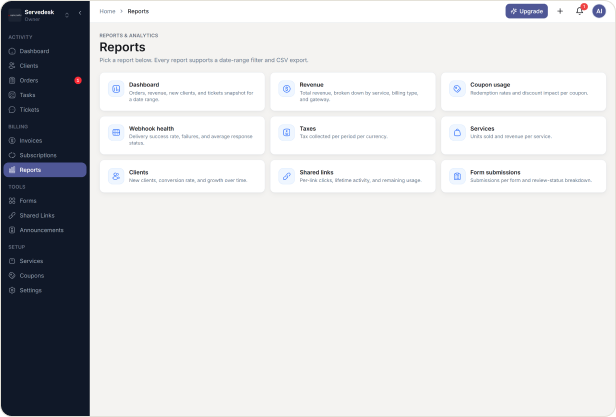
Nine Reports, Always Ready
Revenue, growth, and system health all live in different corners of most tools, until someone spends an afternoon pulling numbers together by hand. HubSleek keeps nine reports ready at all times, covering money, clients, services, and system health, with the same date filters and export options on every one, so a real answer is never more than a few clicks away.
CORE CAPABILITIES
Core Capabilities
Nine reports on revenue, clients, services, and system health, updating automatically. Export as CSV or PDF, or get a weekly digest by email.
Money, broken down the way you actually think about it
Answers: how much did we actually make, and where did it come from.
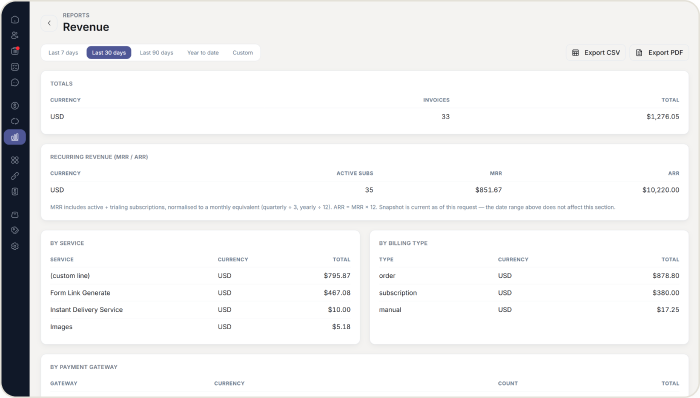
✓ The Revenue report breaks total revenue down by service, billing type, and payment gateway, so you can see exactly where the money is coming from.
✓ Monthly and annual recurring revenue calculates from active and trialing subscriptions, with quarterly and yearly plans normalised to a monthly figure, as a live snapshot of what you are on right now.
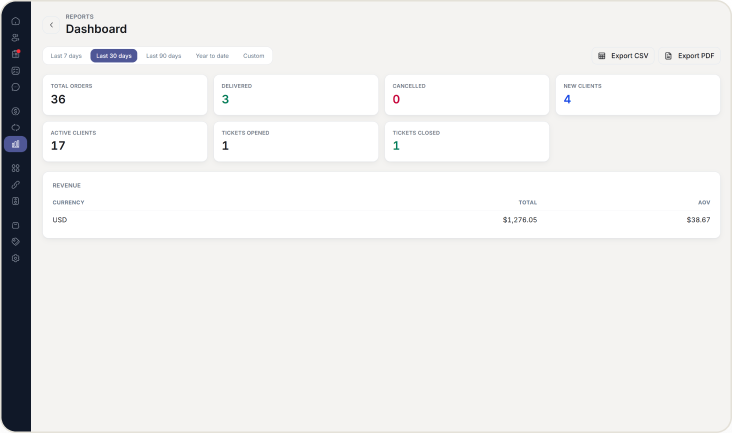
✓ The Dashboard report gives you orders, revenue, new clients, and tickets for any date range in one view.
Clients and services, measured precisely
Answers: which clients are actually converting, and what is selling.
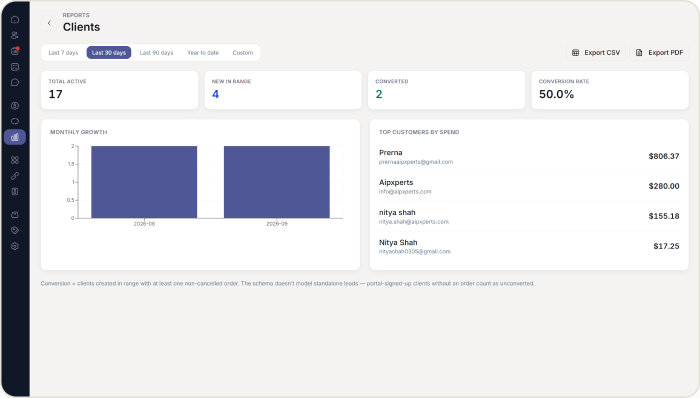
✓ The Clients report defines conversion on screen, as clients created in range with at least one non cancelled order, so there is no ambiguity about what the number means.
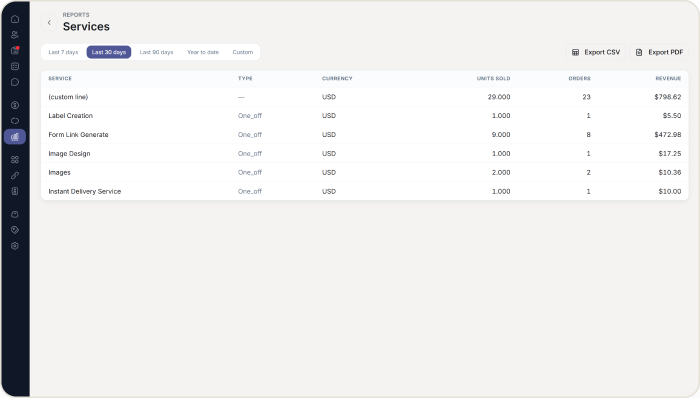
✓ The Services report shows units sold and revenue per service, so you know exactly what is carrying the business.
✓ Coupon usage reports redemption rates and real discount impact, in your agency’s base currency so the totals are easy to compare.
System health, without guessing
Answers: is anything about to quietly break.
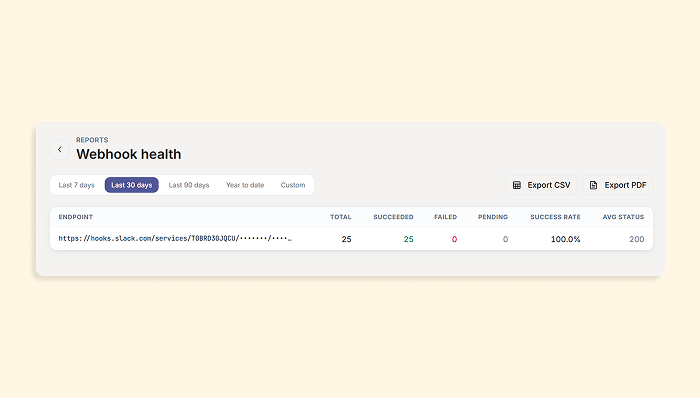
✓ Webhook health flags any endpoint below 90 percent delivery success visually, before it becomes a support ticket.
✓ Form submissions shows how many came in for each form and how many have been reviewed.
✓ Shared links reports clicks broken down by source, medium, and campaign.
The same controls on every report
Answers: whatever range you actually need, not just the default.
✓A Choose a preset range, last 7, 30, or 90 days, or year to date, or set a custom range up to 366 days.
✓ Export any report as CSV or PDF whenever you need it outside HubSleek.
WHY AGENCIES CHOOSE US
Why agencies choose HubSleek’s reports
“
Nine reports, one set of controls
The same date filters and export options work identically everywhere, so nothing needs relearning.
“
Numbers are defined, not vague
Conversion, recurring revenue, and every other figure are calculated the same specific way every time, on screen.
“
Access matches responsibility
Reports are Owner and Admin only by default, since revenue is not every role’s business.
HOW IT WORKS
From dashboard to real answers
01. Open Reports
Open Reports from your dashboard. Owners and Admins can see it; Managers and Team Members cannot, since revenue is not every role’s business.
02. Pick a report and range
Get reviewed by a real person, usually within two working days, and receive a confirmation either way.
03. Read or export
Read the numbers on screen, or export as CSV or PDF for anything you need to share outside HubSleek.
04. Get the weekly digest
Opt into the weekly digest once, and a summary lands in your inbox from then on.
Frequently asked questions
See what is actually driving your business
Open your first report and get a real answer in seconds, not an afternoon.